What should connect your building?
A ceiling access point needs data and power. A tenant in the next building needs a reliable path back to the network room. Both depend on cabling, but they call for different designs. At 1GC we start with the device, trace the actual route, and decide where copper and fiber each belong.
Choosing cable at a glance
Use copper for short runs that need data and power. Choose Cat 6A for a new full-length 10 Gb/s channel.
Check the grade and length of installed multimode fiber. Compatible optics may let you reuse the link.
Plan OS2 between buildings and network rooms. Reserve strands and conduit space for the next expansion.
Copper to the device
Cat 6 serves workstations, cameras, phones, and Wi-Fi access points. With compatible switches, Power over Ethernet delivers power over the same cable. Measure the installed route through ceilings and risers, including patch cords. A 100-meter (328-foot) channel typically allows 90 meters of permanent cabling and 10 meters of cords.
| Channel | Design guidance |
|---|---|
| Cat 6 | 1 Gb/s to 100 m. For 10 Gb/s, up to about 55 m under suitable conditions. Bundle interference and installation quality matter. |
| Cat 6A | 10 Gb/s to 100 m. Specify it when a new copper installation must support 10-gigabit service across the full channel. |
If the route exceeds the copper limit, review the closet location or extend the network on fiber to a powered switch closer to the devices.
Fiber between network rooms and buildings
Fiber carries light and is immune to electromagnetic interference. The transceivers at both ends determine the Ethernet speed and supported reach. Connector and splice losses also count against the link budget. Plan power separately for the equipment at the far end.
| Fiber | Optics | Example reach |
|---|---|---|
| OM3 multimode | 10GBASE-SR | 300 m |
| OM4 multimode | 10GBASE-SR | 400 m |
| OS2 single-mode | 10GBASE-LR | 10 km |
An existing multimode link can be a practical choice when its fiber grade, length, and optics meet the requirement. For a new backbone between the main equipment room and a floor closet, or between buildings, 1GC generally prefers OS2. The cost of reopening a conduit or ceiling can exceed the cost of planning spare strands during construction.
Why 1GC prefers OS2 for new backbones
Multimode and single-mode fiber guide light differently. Multimode fiber has a larger core. Over distance, light traveling along different paths arrives at slightly different times, limiting the reach for a given speed. Single-mode fiber has a smaller core and avoids that limitation. It gives a designer more options for long runs and future optics.
In a warehouse, tower, or campus, compare the whole installed cost: cable, transceivers at both ends, terminations, testing, and the work required to access the route again. An existing short multimode link can be economical to retain. On new construction, the chance to install a useful backbone while ceilings and trenches are open often matters more than the difference in cable price.
Plan for the next tenant
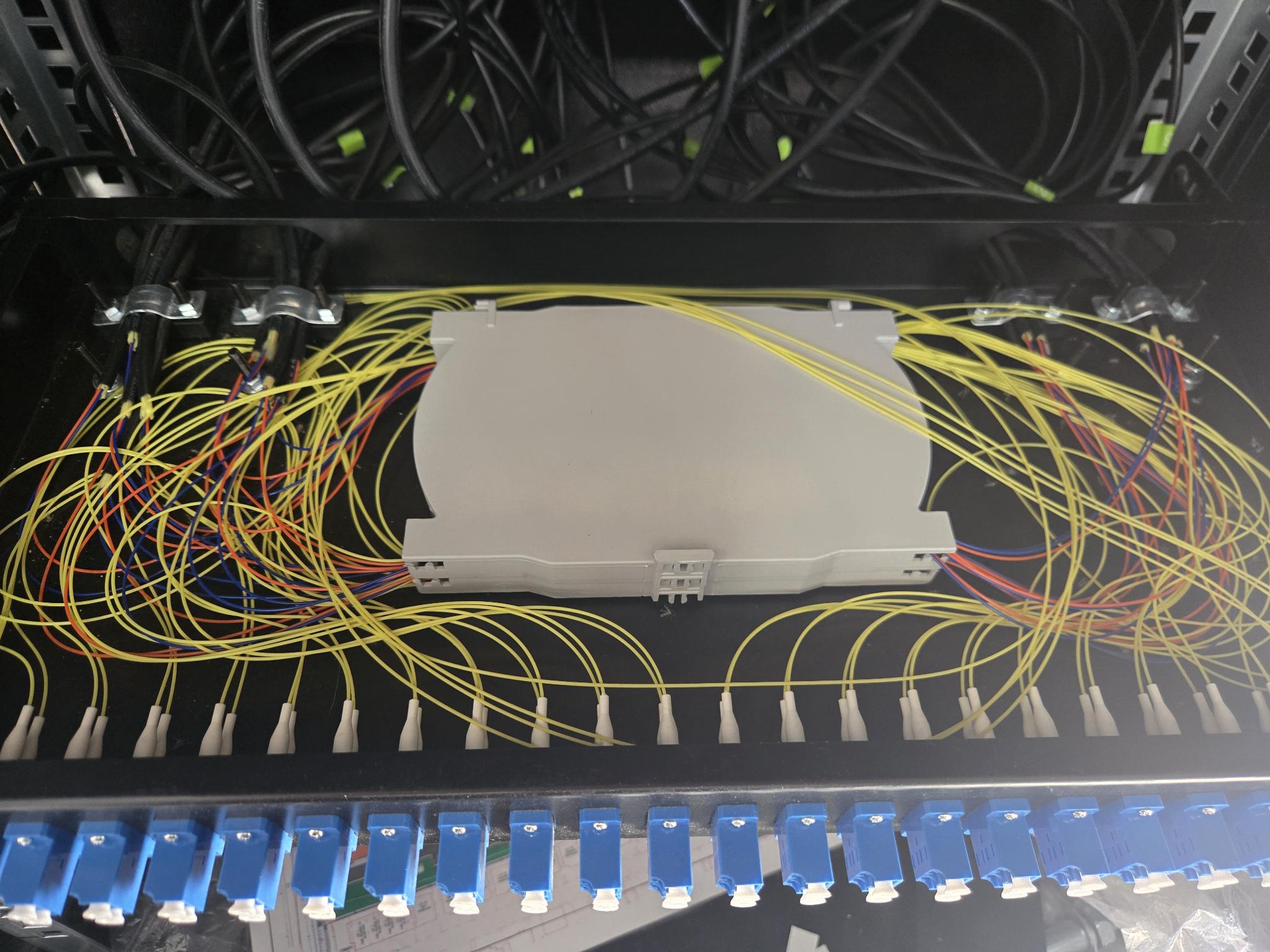
On the two-building project shown above, the owner wanted each tenant to be able to order service. We installed carrier entrance conduit, ran fiber between the structures, and brought the strands to a common panel. A carrier can bring in its own fiber and patch through to the right suite.
Before specifying cable, we check route length, device power, existing terminations, spare pathway capacity, and the speeds the owner expects over the life of the building. Request a site survey or explore our structured cabling services.
Optical reach reference: Cisco 10GBASE SFP+ module specifications.