Make every entry
work smarter.
Door access control designed around your building, your people, and your daily operations. 1GC brings the readers, door hardware, cabling, and network together in one coordinated installation.
Control who gets in.
Keep entry practical.
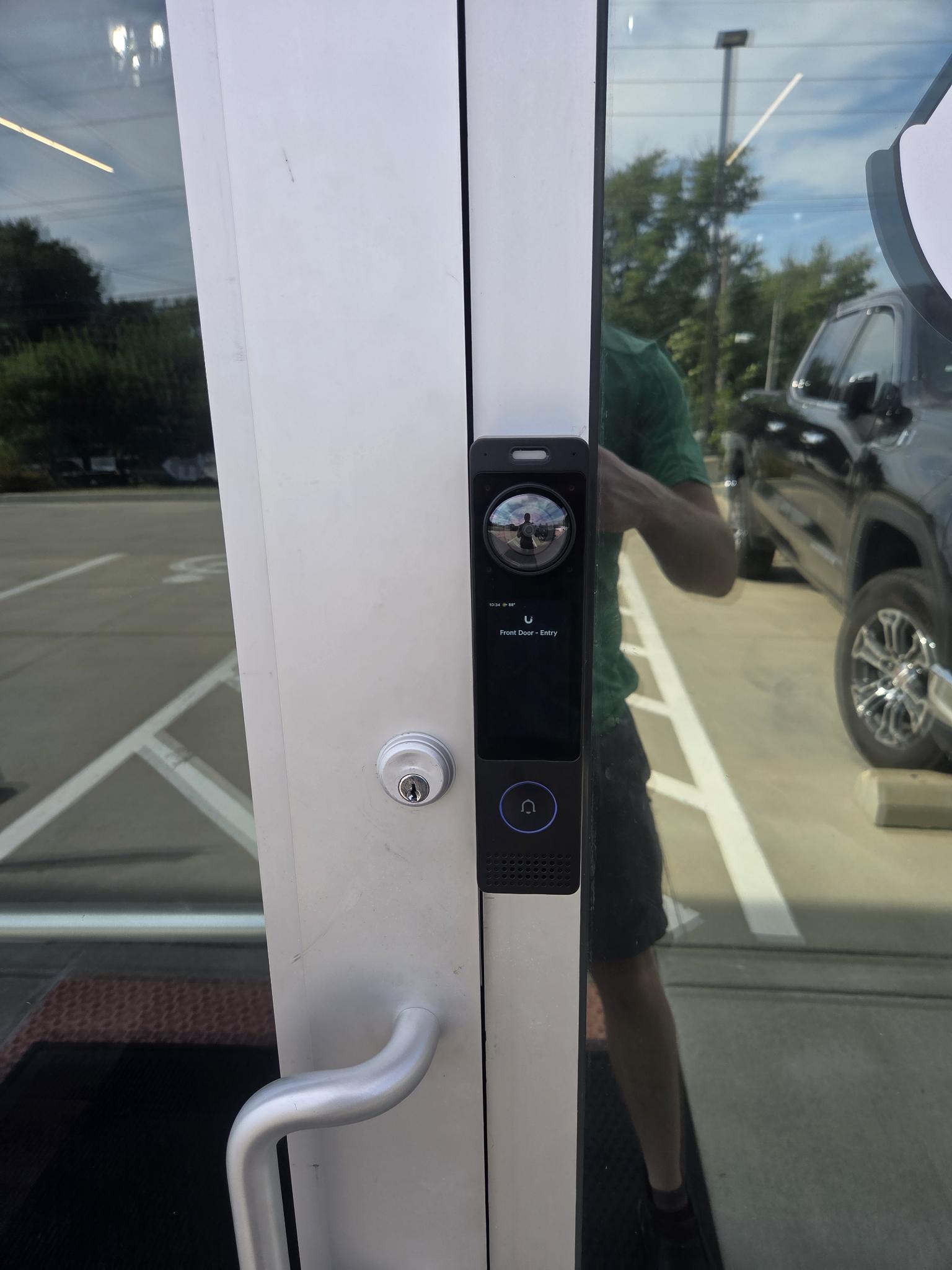
A useful access system makes everyday entry straightforward while giving your team control over who can use each door and when. We start with the building and your workflow, then choose the equipment to fit.
Choose how people enter
Consider cards, fobs, mobile credentials, or face access on compatible hardware.
Match access to roles
Define which doors different users need and how access should change as responsibilities change.
Fit the working day
Plan regular hours, after-hours access, and temporary access around site operations.
Review entry activity
Consider door status, event records, and camera integration supported by the chosen system.
Walk up. Be recognized. Step inside.
Face Unlock brings a convenient, hands-free arrival to compatible UniFi readers. An enrolled user with permission for that door presents their face to the reader’s camera—without reaching for a card or entering a code. We configure enrollment, permissions, and alternative credentials around your team.
PIN, card & fob
Choose supported PIN codes or physical credentials for staff and approved visitors. Access groups and schedules define which doors each user may open and when.
Phone at the reader
Supported Mobile Tap configurations let users present their phone to a reader. Wallet-based Touch Pass is another option on compatible devices and may have separate credential fees.
Receptionist release
Reception staff can see and speak with a visitor, then release the door from a compatible Intercom Viewer. Calls can also reach supported apps or other configured receivers.
Visitor directories
A compatible intercom can display a directory so visitors choose the person or destination they need. We configure call routing to suit reception, departments, or tenants.
Available methods depend on the reader, phone, software, and configuration. Explore UniFi entry options ↗
Keep entry controlled during the workday.
Keep exterior entry locked while authorized staff enter with their assigned credentials and reception admits visitors. This reduces uncontrolled walk-in access while preserving a welcoming arrival process.
Doors must still provide the required safe exit from inside. 1GC coordinates locking hardware, closers, door alignment, release functions, and applicable egress requirements, then tests the complete opening. Access control does not by itself prevent someone following an authorized person through a door.
Clean installation is central to dependable operation. We conceal and protect wiring wherever practical, use appropriate pathways where concealment is not possible, and test opening, closing, latching, and release together—not just the reader.
See the entry experience.
Watch the face-access demonstration from the NJT Law Firm project in Fenton, Missouri.
We plan credential options around your building and the people using it. Face access is one available approach on compatible equipment, alongside card, fob, and mobile options.
A better arrival experience.
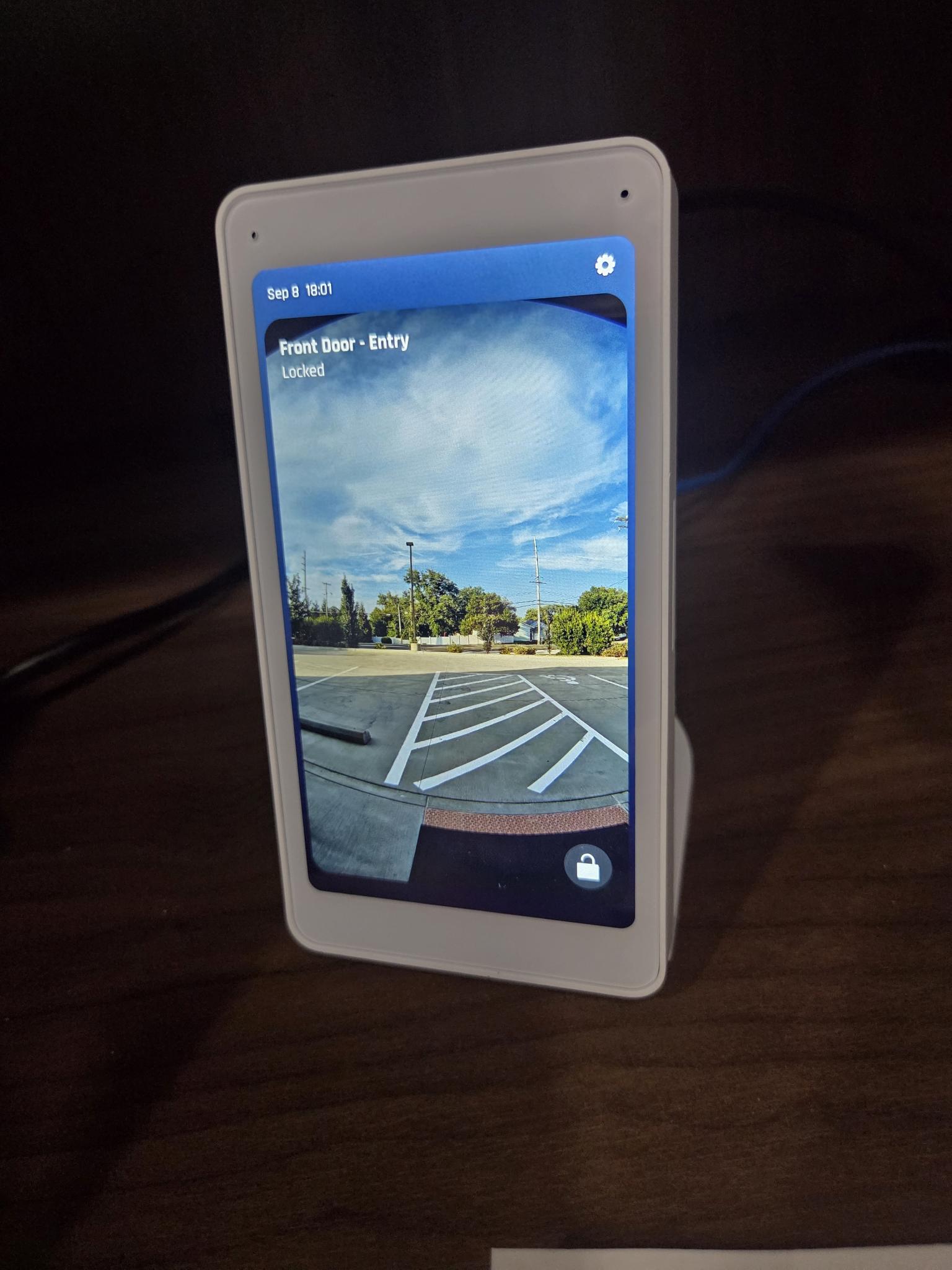
Plan how visitors announce themselves and how your team responds. The right combination of reader, intercom, viewer, and camera can connect the entrance with reception or another designated staff location.
- Review where calls should be received
- Choose suitable camera views and viewer locations
- Define staff permissions for visitor entry
- Confirm supported audio and remote-unlock functions
The work behind the reader.
Start with the infrastructure.
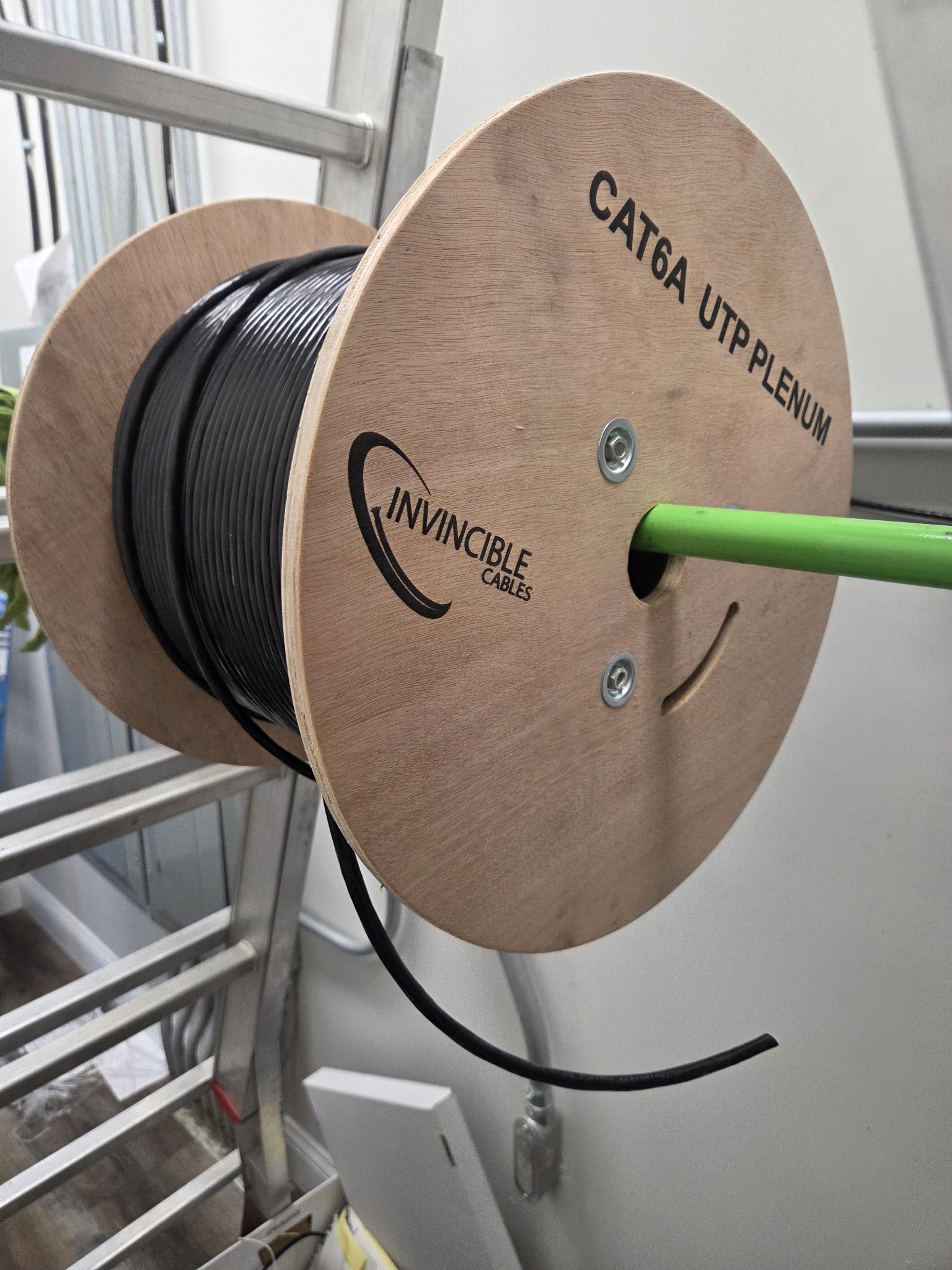
We review cable routes, controller locations, network connections, and power requirements before equipment is installed. Existing buildings and new construction call for different approaches.
The scope should account for the complete route from the network equipment to the door.
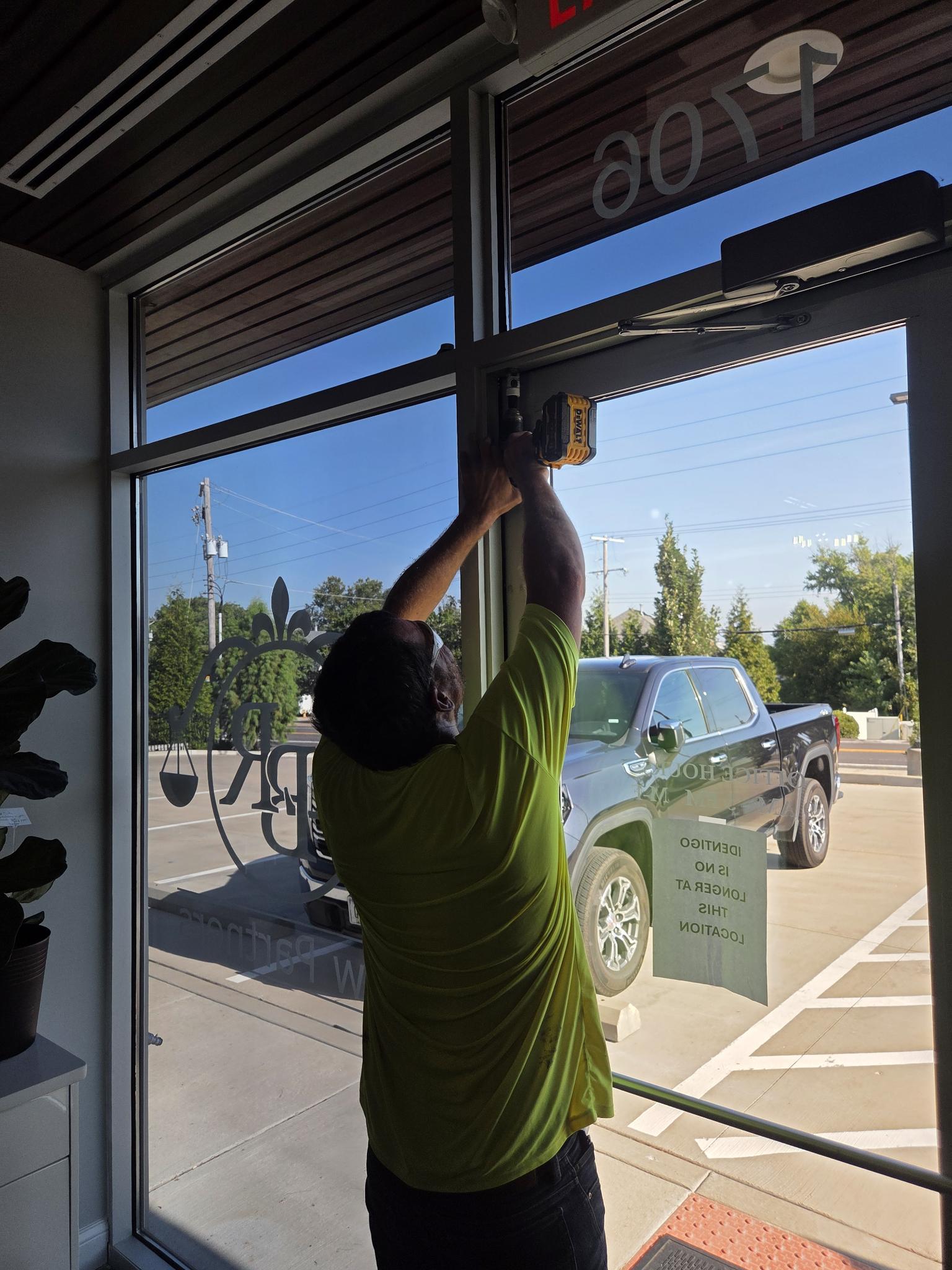
Make the hardware fit the building.
Door construction, frame conditions, existing hardware, and the way people use the entrance shape the installation. We coordinate the reader, locking hardware, cabling, and associated building work.
Door operation and project requirements are reviewed during design, rather than assuming every entrance needs the same hardware.
Ready for everyday use.
The installation finishes with configuration, testing, and a practical walkthrough for the people responsible for the system.
Configure users and schedules
Set up the agreed credentials, access groups, and operating schedules.
Test the entry experience
Check the agreed door behavior, reader operation, visitor functions, and supported integrations.
Walk through common tasks
Review adding and removing access, managing credentials, and finding relevant activity records.
UniFi Access is one platform we can use for door access management, with readers and credential methods suited to different entry points. Supported configurations can connect entry activity with UniFi Protect video.
1GC also considers other platforms. We’ll review your existing equipment, management preferences, and required features before recommending a system.
Features vary by reader, controller, software, and configuration.
Planning your access project.
Can we upgrade an existing entrance?
We start by reviewing the door, frame, hardware, cable routes, and existing system. That determines what can be retained and what needs to change.
Does everyone have to use face access?
No. Face access is one option on compatible equipment. Cards, fobs, and mobile credentials may be a better fit for some users or sites. We’ll review your requirements before selecting the credential methods.
Can door access work with security cameras?
Yes, where the selected platforms support the required integration. We’ll confirm how camera views and entry events can work together as part of system design.
What information helps you scope the work?
Share the number and type of doors, available floor plans, photos of existing hardware, approximate user counts, and the way you want staff and visitors to enter.
Local control. Long-term value.
On-site by design
We design UniFi installations around an on-site console. Protect recordings and AI processing stay local, with client-managed retention and permissions. Access runs on your local console; remote management is an option.
No core license renewal
UniFi Protect and Access are license-free core platforms. There is no recurring core software license to renew to keep the installed system operating. Optional services or credentials can carry separate charges; hardware upkeep and support still matter.
A preferred option
1GC favors UniFi for its combination of capability and value. We also install other systems and recommend equipment around your requirements, existing infrastructure, and budget.
Installation makes the difference
As a general building and engineering contractor with a datacom focus, 1GC coordinates clean cable routes, mounting, power, networks, and building work into one complete installation.
Local storage does not mean every optional feature is offline: remote access, cloud backups, and certain mobile services depend on the configuration you choose.
Plan the right access for your building.
From a single entrance to a broader system, start with your site and the way you need it to work.
Back to Security Cameras & Access Control · Explore Security Cameras